'/%3e%3cpath%20d='m27%2023.93-13.85%209H3.48l20.66-13.42A2.63%202.63%200%200%201%2027%2023.93'%20fill='url(%237e6e5234-a507-4b49-9dc8-594cd966725d)'/%3e%3cpath%20d='M8.45%2024.35A2.63%202.63%200%200%201%207%2019.51l15.34-9.92A2.63%202.63%200%201%201%2025.2%2014L9.88%2023.92a2.6%202.6%200%200%201-1.43.43'%20fill='url(%236a69f084-c03a-4af1-967d-e859979bae01)'/%3e%3c/g%3e%3c/g%3e%3c/g%3e%3c/svg%3e) 全科
全科
任何科目 · 貼 YouTube / 相片 / 文字 → AI 即出 MC 題目。
英文、普通話、音樂、體育、視藝、設計科技、家政等 15+ 科目一致使用:老師貼 YouTube 連結、上傳相片、或貼文字段落,AI 一鍵出 MC 題目(含解釋)再派功課。一個平台,一套流程。
15+ 科目 · YouTube / 相片 / 文字 → AI 一鍵出 MC + 解釋 · 跨科統一流程
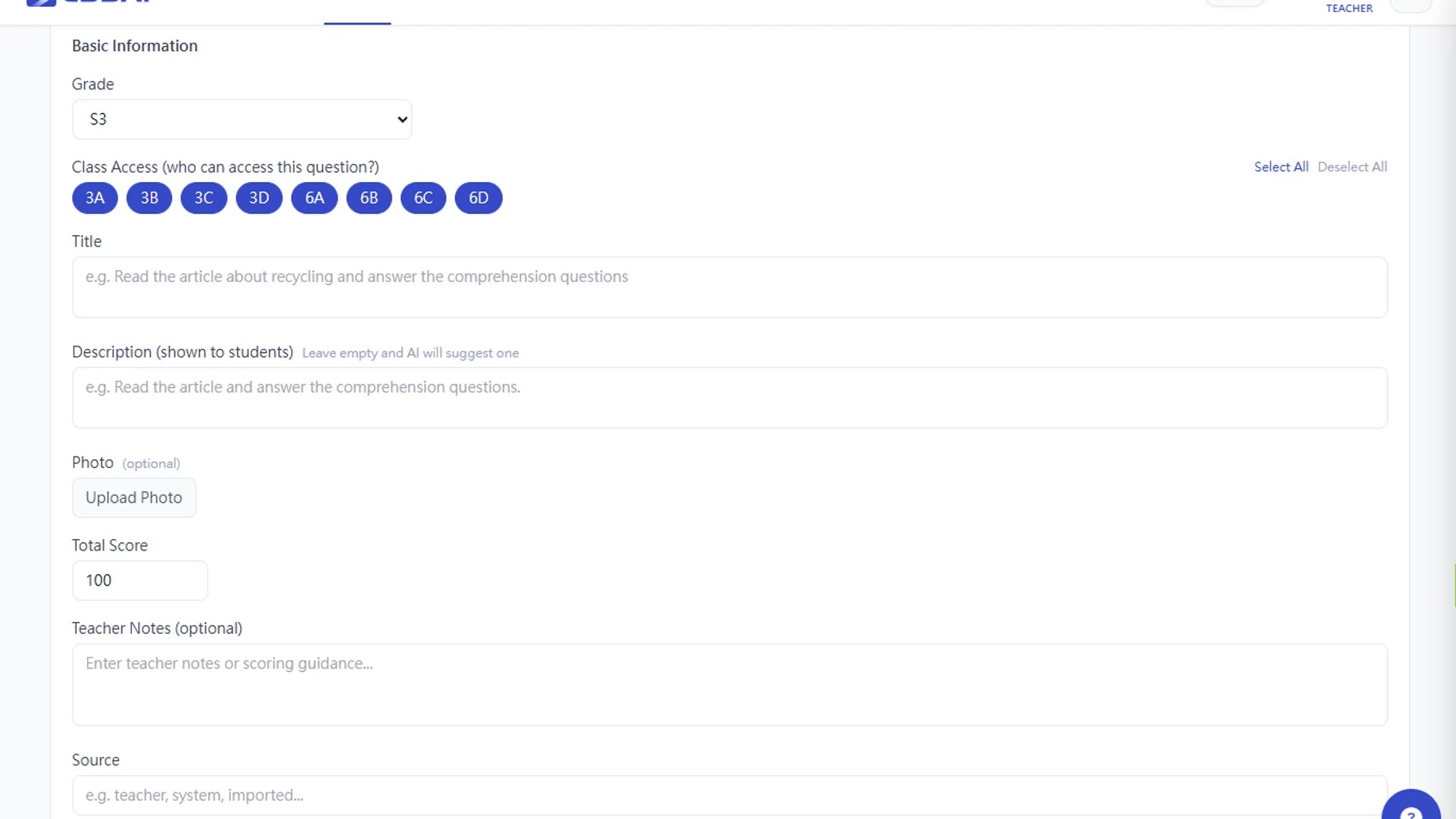
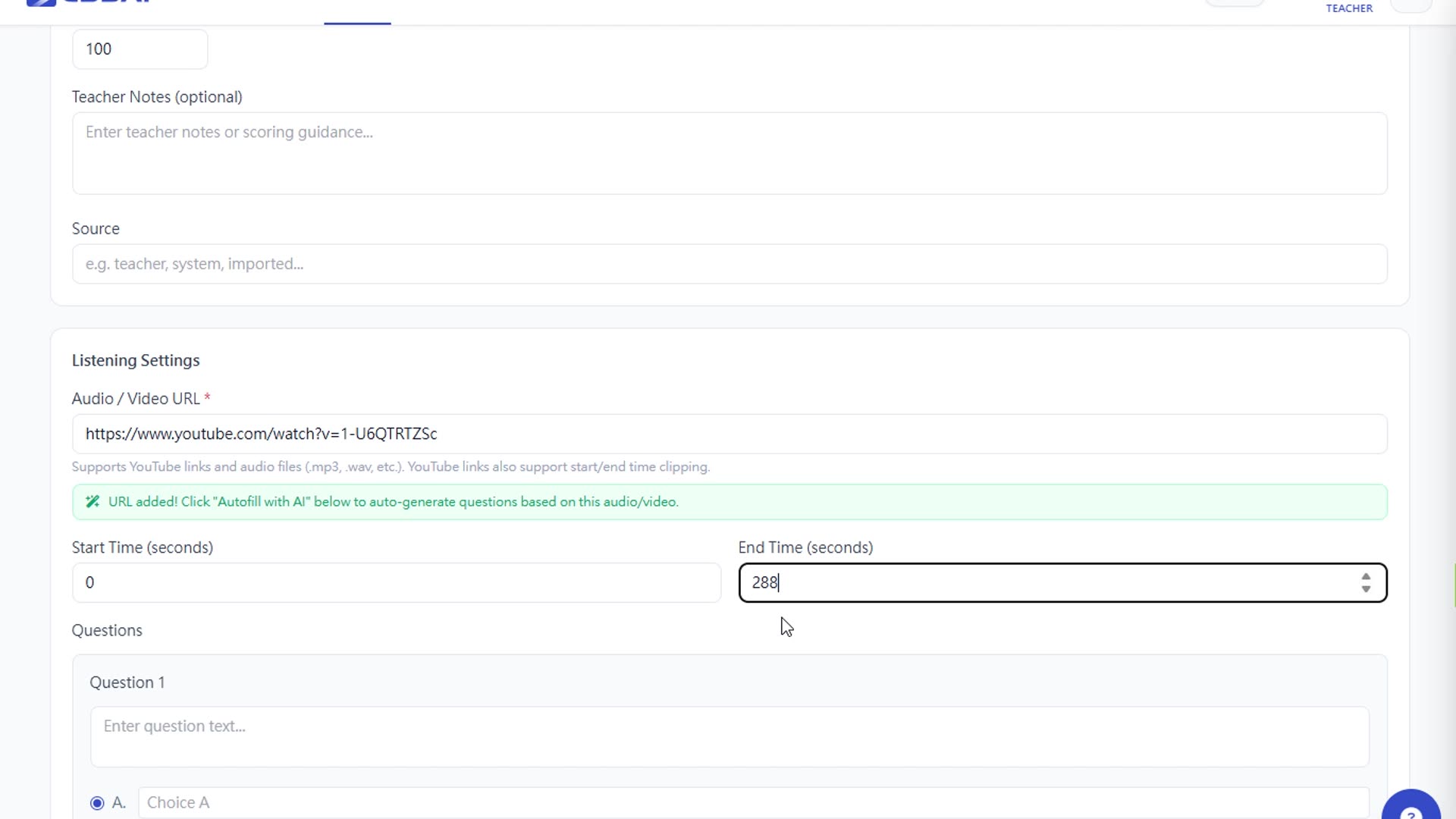
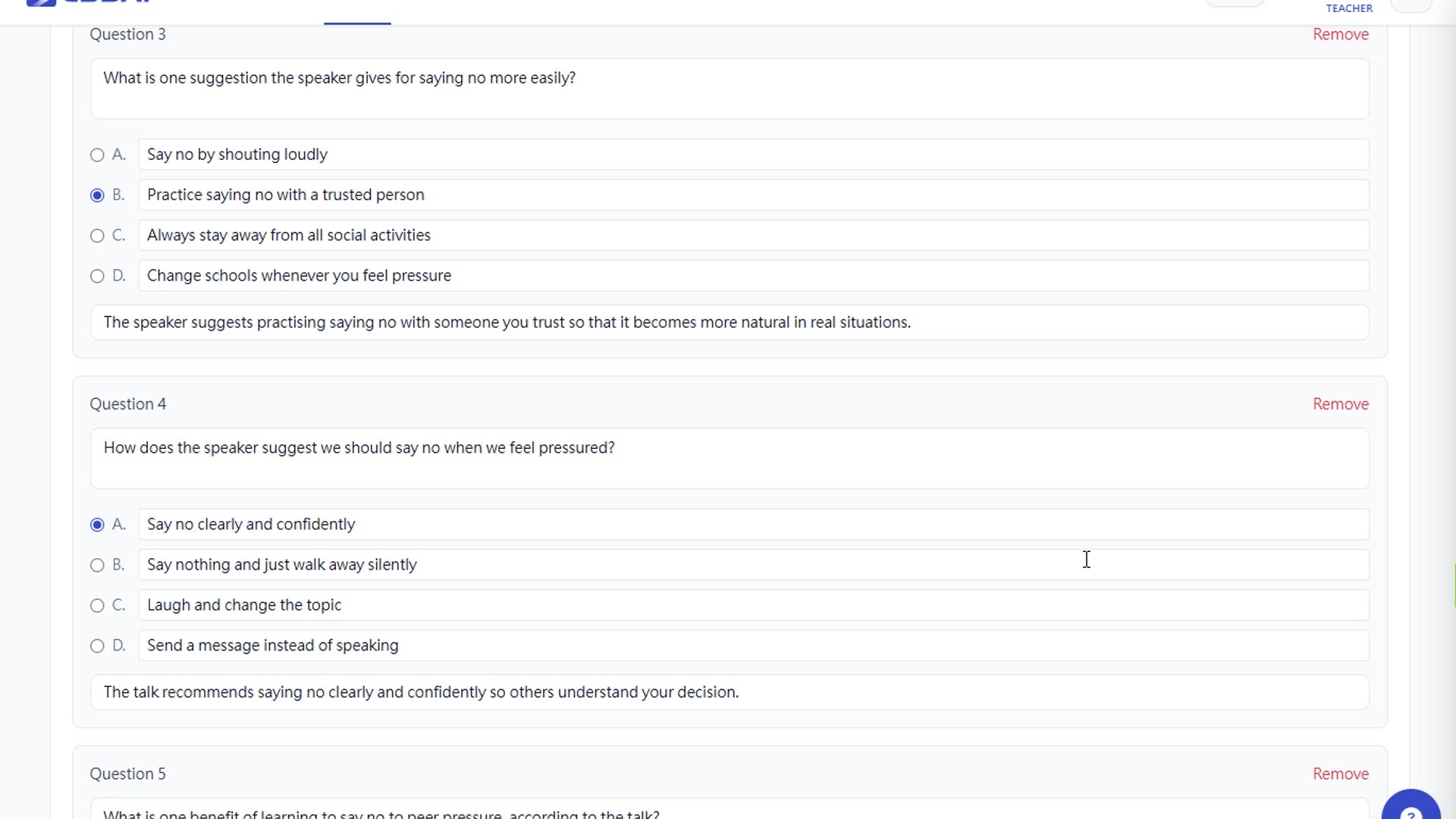
貼 YouTube 連結 → AI 準備出題
全科老師的痛點 · Essai 的解法
每科要用不同平台出題,老師同時管 5 個帳號
一個 Essai 帳號涵蓋英文、普通話、音樂、體育、視藝、設計科技、家政等 15+ 科。
想用 YouTube 影片出功課,但要逐條抄內容、寫題目
貼 YouTube 連結,AI 自動抽 transcript → 出 5 題 MC + 解釋 · 可剪 start/end 時間。
學生手寫課業要影相交,但批改仍靠人手
學生上傳相片 → OCR 辨識 → AI 批改。老師只做最終審校。
核心功能
YouTube URL 一鍵出題
貼 YouTube 連結 · 支援 start / end 時間剪輯 · AI 抽 transcript 後生 5 題 MC + 解釋。
相片上傳出題
老師拍照教材、筆記、課文 → OCR 辨識 → AI 按內容出題目。
文字貼段即時出題
貼任何段落 / 文章 → AI 按年級難度生成 MC + 解釋 + 標準答案。
15+ 科目一致流程
英文、普通話、音樂、體育、視藝、設計科技、家政、物理、化學、生物、中史、歷史、地理、公民、經濟、家庭生活教育。
年級自動對齊
AI 按學生 P1–S6 年級自動調整詞彙、句子長度、題目複雜度。
手寫題目即時批改
學生拍照手寫答題 → OCR 即時辨識 + AI 對答案 + 標示錯誤;老師可查看全班答題紀錄。
AI Tutor · 24/7 學生學習夥伴
跟 AI Tutor 即時對話詢問功課;陪伴學生一步步思考解題(不直接給答案);學生對話紀錄全部留底。
AI 助手 · 老師查學生表現
老師向 AI 助手查詢特定學生的學習進度、強弱項、AI Tutor 使用紀錄;對答以校本數據為基礎,並可建議下一步教學策略。
Word 班級報告
全班作答後一鍵匯出 Word 班級報告(平均分、弱點熱圖),可列印帶回課室。
運作流程
揀科目
老師選任何一科(英文、普通話、音樂、體育、物理、化學等)。
貼 URL / 相片 / 文字
貼 YouTube 連結、上傳相片、或貼文字段落 — AI 統一處理。
AI autofill → 審校 → 派發
AI 自動填 5 題 MC + 解釋;老師逐題審校/編輯,Save 後派給指定班級。
支援科目
英文(Listening / Reading 出題)
普通話口語
音樂 · 體育 · 視藝
家政 · 設計科技
DSE 物理 / 化學 / 生物(備課)
DSE 中史 / 歷史 / 地理(備課)
公民與社會發展科
家庭生活教育
| P1 | P2 | P3 | P4 | P5 | P6 | S1 | S2 | S3 | S4 | S5 | S6 | |
|---|---|---|---|---|---|---|---|---|---|---|---|---|
| 英文(Listening / Reading 出題) | ||||||||||||
| 普通話口語 | ||||||||||||
| 音樂 · 體育 · 視藝 | ||||||||||||
| 家政 · 設計科技 | ||||||||||||
| DSE 物理 / 化學 / 生物(備課) | ||||||||||||
| DSE 中史 / 歷史 / 地理(備課) | ||||||||||||
| 公民與社會發展科 | ||||||||||||
| 家庭生活教育 |
15+ 科目共用一個出題流程 · YouTube + 相片 + 文字三種輸入 · AI 一鍵出 MC + 解釋 · Word 班級報告