School Administration
From roster to OLE profiles: collect, approve, import, and announce — on one platform.
Collect and approve students’ Other Learning Experiences (OLE) records in one place, with a five-category radar chart and growth timeline generated automatically — no more compiling the Student Learning Profile (SLP) from scattered spreadsheets. Import WebSAMS export files or plain CSVs with smart column mapping, row-by-row preview, and one-click undo; then round it off with class-targeted announcements and batch account management.
WebSAMS CSV import · OLE five-category radar · activity approvals · class announcements · batch account management
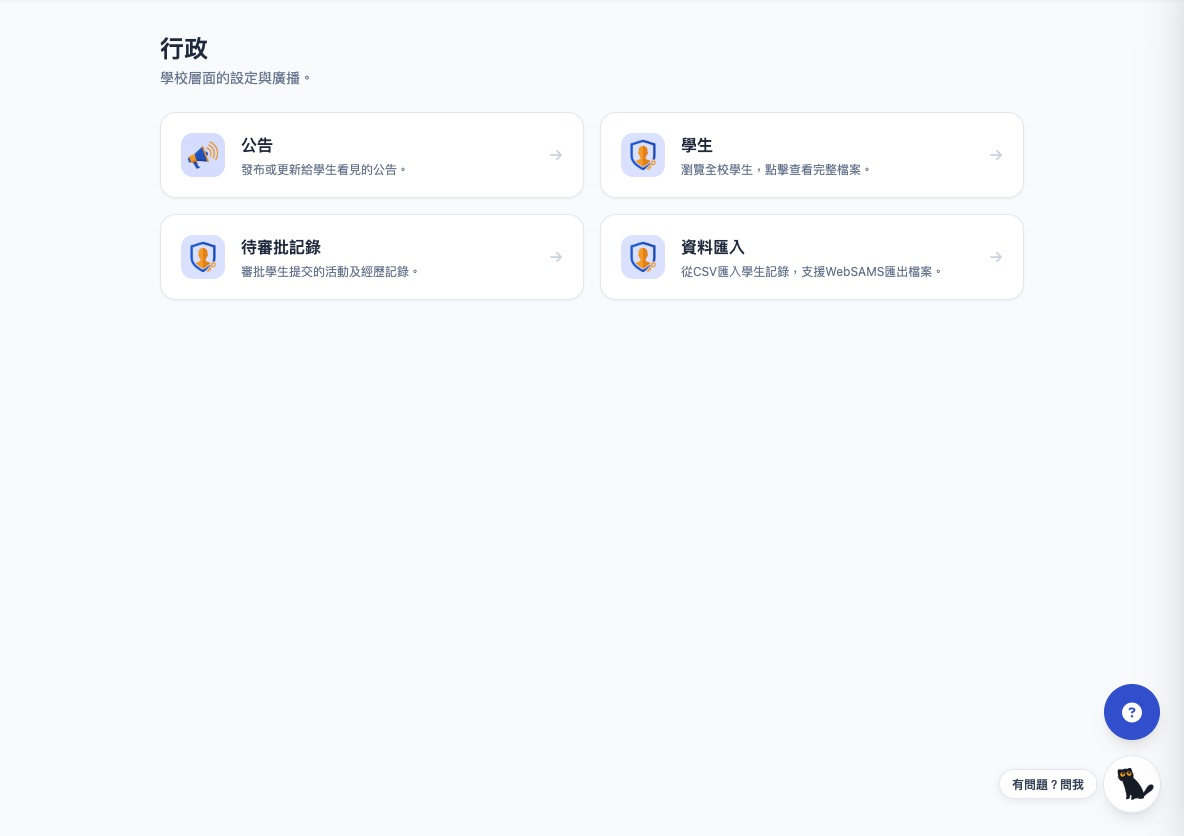
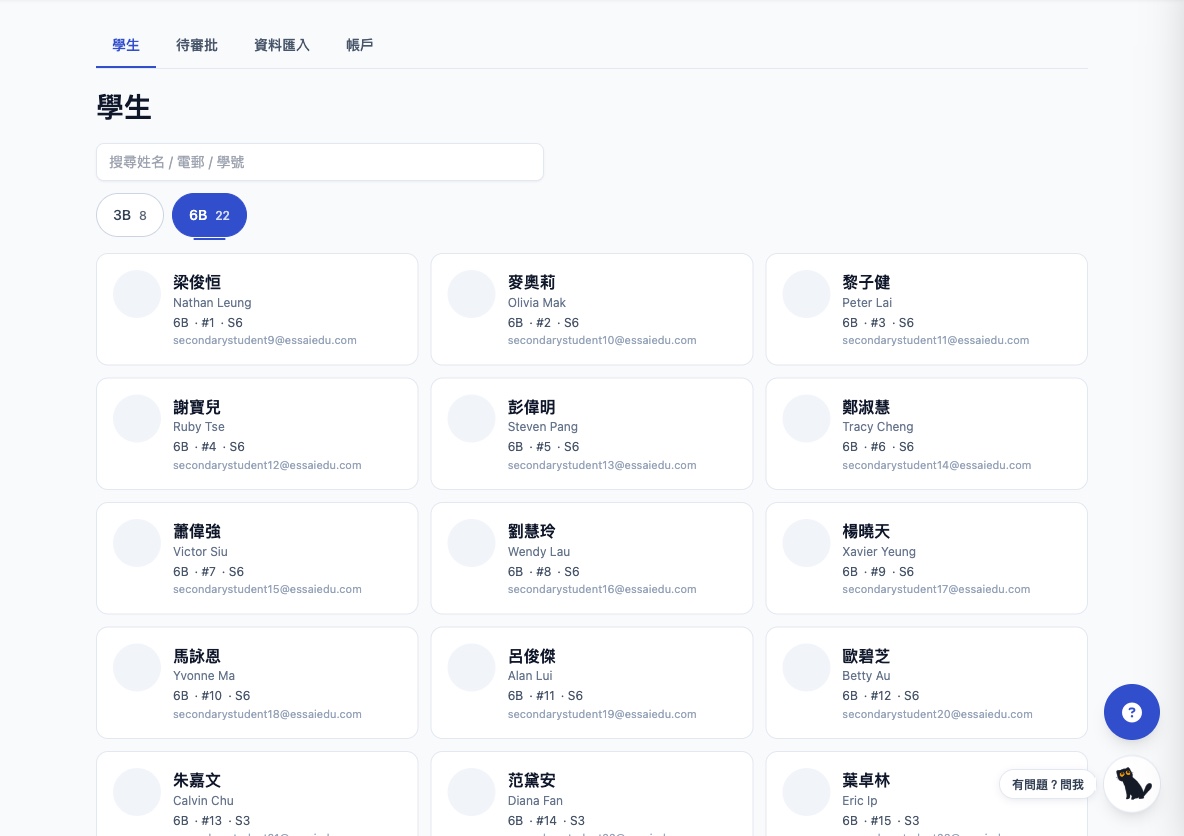
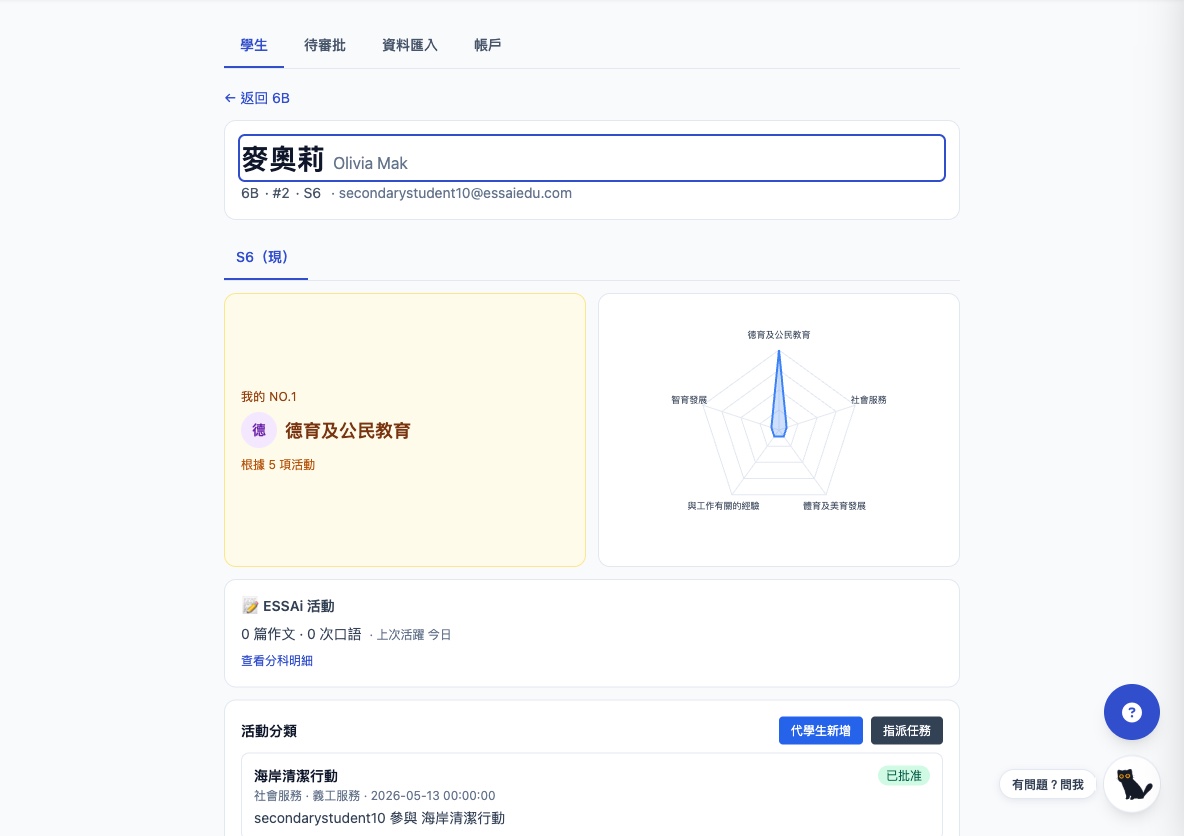
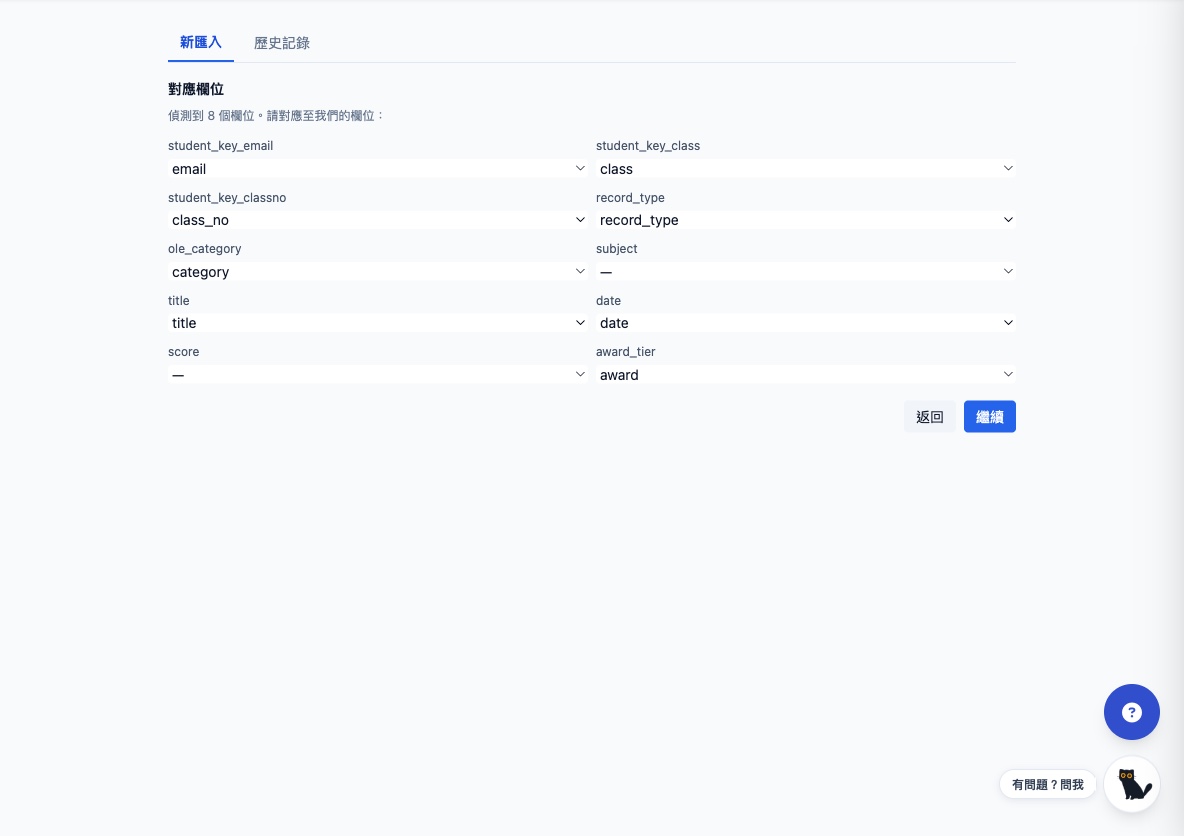
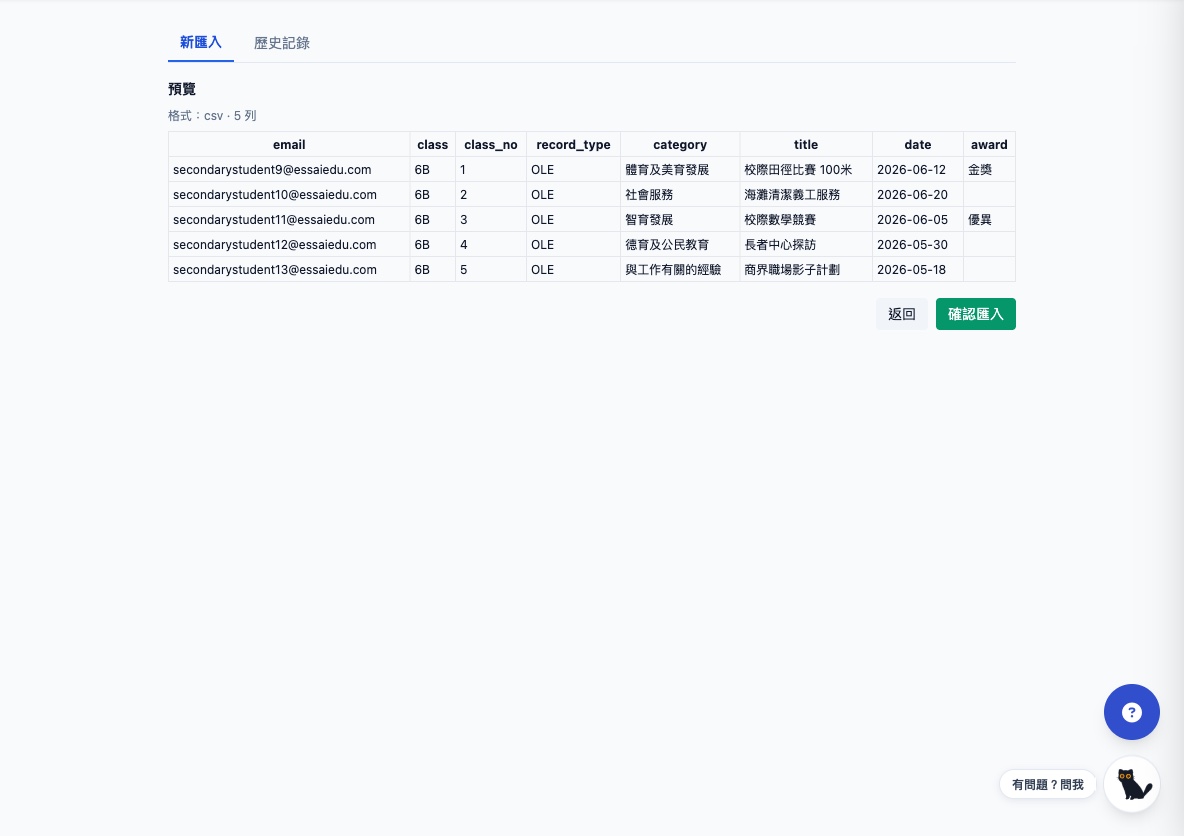
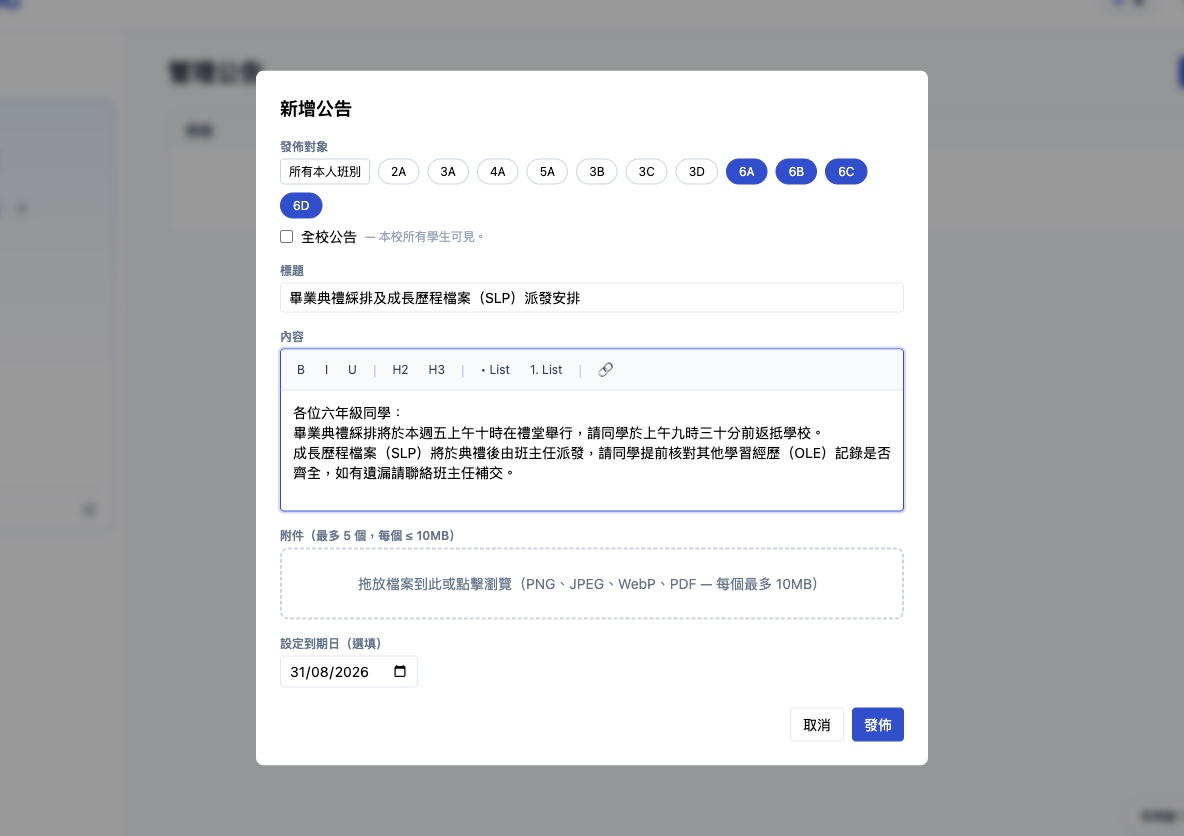
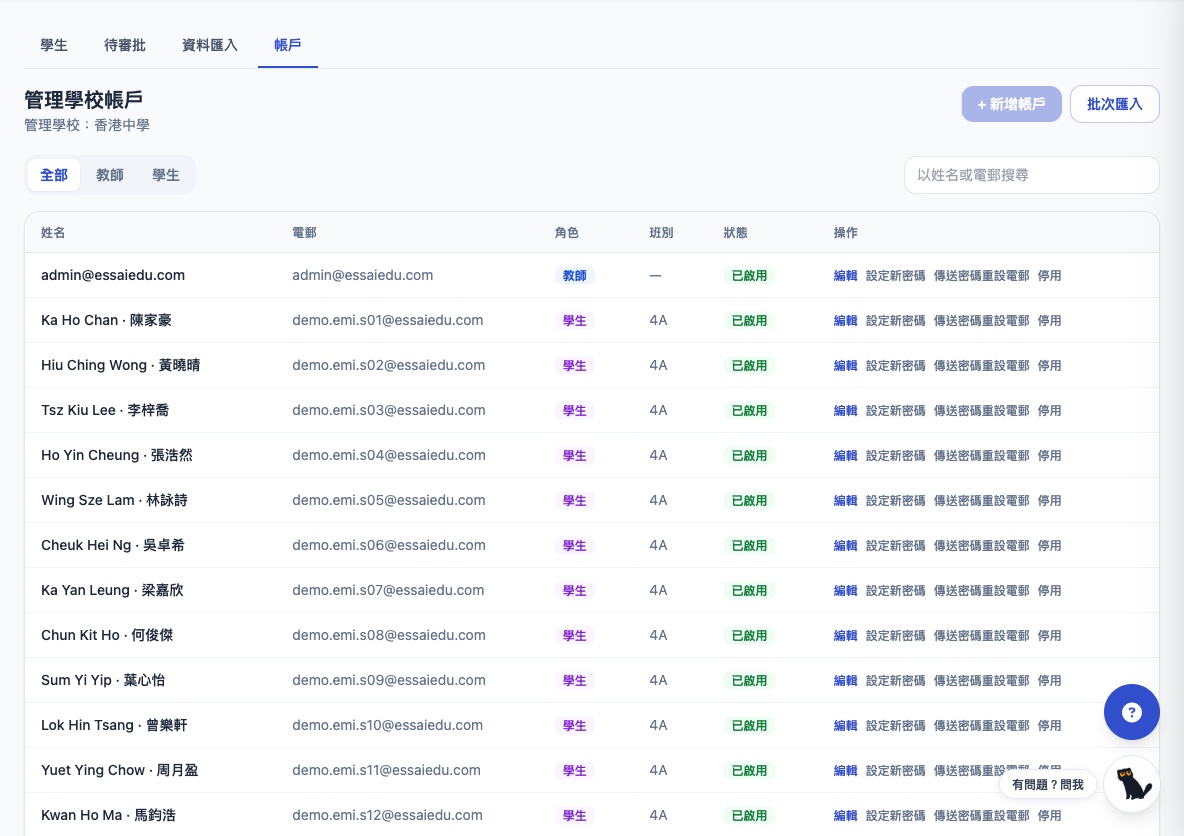
Admin hub · announcements / student profiles / approvals / imports in one place
School admin pain · Essai solution
OLE records live in scattered spreadsheets and paper forms, and SLPs get rushed together right before applications.
Collect, approve, and store activity records in one place; the five-category radar, awards, and growth timeline are generated automatically.
Student data is locked in WebSAMS, and moving to a new platform means retyping everything.
Import WebSAMS export files or plain CSVs directly: smart column mapping, row-by-row preview, commit on confirm, one-click undo.
Notices go out on paper or chat groups, with no way to track them.
Publish announcements to selected classes or the whole school, with rich text, attachments, expiry dates, and status at a glance.
Term-start account creation and endless password resets weigh on IT.
Batch-import accounts from CSV; set new passwords, send reset emails, or disable accounts in one click.
Key features
School-wide roster
Browse every student by class, search by name or email, and open a full profile in one click.
OLE / SLP student profiles
Activity records across the five EDB categories, awards, radar chart, and growth timeline — solid ground for compiling SLPs.
Activity approvals
Students submit their own activity records; admins filter by category and approve before anything counts.
WebSAMS / CSV import
Drop in a CSV and smart mapping pairs email, class, category, award, and more; WebSAMS export format supported.
Preview + one-click undo
Review every row before committing; each import is logged and can be undone in one click.
Class / school announcements
Target classes by multi-select or go school-wide, with rich text, attachments (PNG / JPEG / WebP / PDF), and expiry dates.
Account management
Add or batch-import accounts, set new passwords, send reset emails, or disable — teachers and students in one table.
Act on a student’s behalf
Teachers and admins can add activity records or assign tasks for students who cannot submit themselves.
How it works
Import data and create accounts
Batch-import student data and accounts from WebSAMS exports or CSVs, with smart column mapping.
Collect and approve day to day
Students submit activity records for admin approval; announcements go out by class with attachments and expiry dates.
Profiles build themselves
The five-category radar, awards, and growth timeline are generated automatically — everything in view when SLP season comes.
Stage coverage
Roster + full student profiles
OLE / SLP records and approvals
WebSAMS / CSV data import
Announcements + account management
| Lower Pri | Upper Pri | Junior Sec | Senior Sec | |
|---|---|---|---|---|
| Roster + full student profiles | ||||
| OLE / SLP records and approvals | ||||
| WebSAMS / CSV data import | ||||
| Announcements + account management |
Moral & civic education · intellectual development · community service · physical & aesthetic development · career-related experiences — OLE records collected, approved, and visualised in one place