'/%3e%3cpath%20d='m27%2023.93-13.85%209H3.48l20.66-13.42A2.63%202.63%200%200%201%2027%2023.93'%20fill='url(%237e6e5234-a507-4b49-9dc8-594cd966725d)'/%3e%3cpath%20d='M8.45%2024.35A2.63%202.63%200%200%201%207%2019.51l15.34-9.92A2.63%202.63%200%201%201%2025.2%2014L9.88%2023.92a2.6%202.6%200%200%201-1.43.43'%20fill='url(%236a69f084-c03a-4af1-967d-e859979bae01)'/%3e%3c/g%3e%3c/g%3e%3c/g%3e%3c/svg%3e) for ICT
for ICT
From primary Scratch blocks to DSE ICT — one self-paced journey.
Primary computing through DSE ICT in one platform · 23 units, 105+ lessons · in-browser Python, Scratch-style blocks, and a safe AI practice lab. Students run everything from an iPad — no installs, no teacher hand-holding.
23 units · 105+ lessons · Scratch blocks · in-browser Python · bilingual · iPad-ready
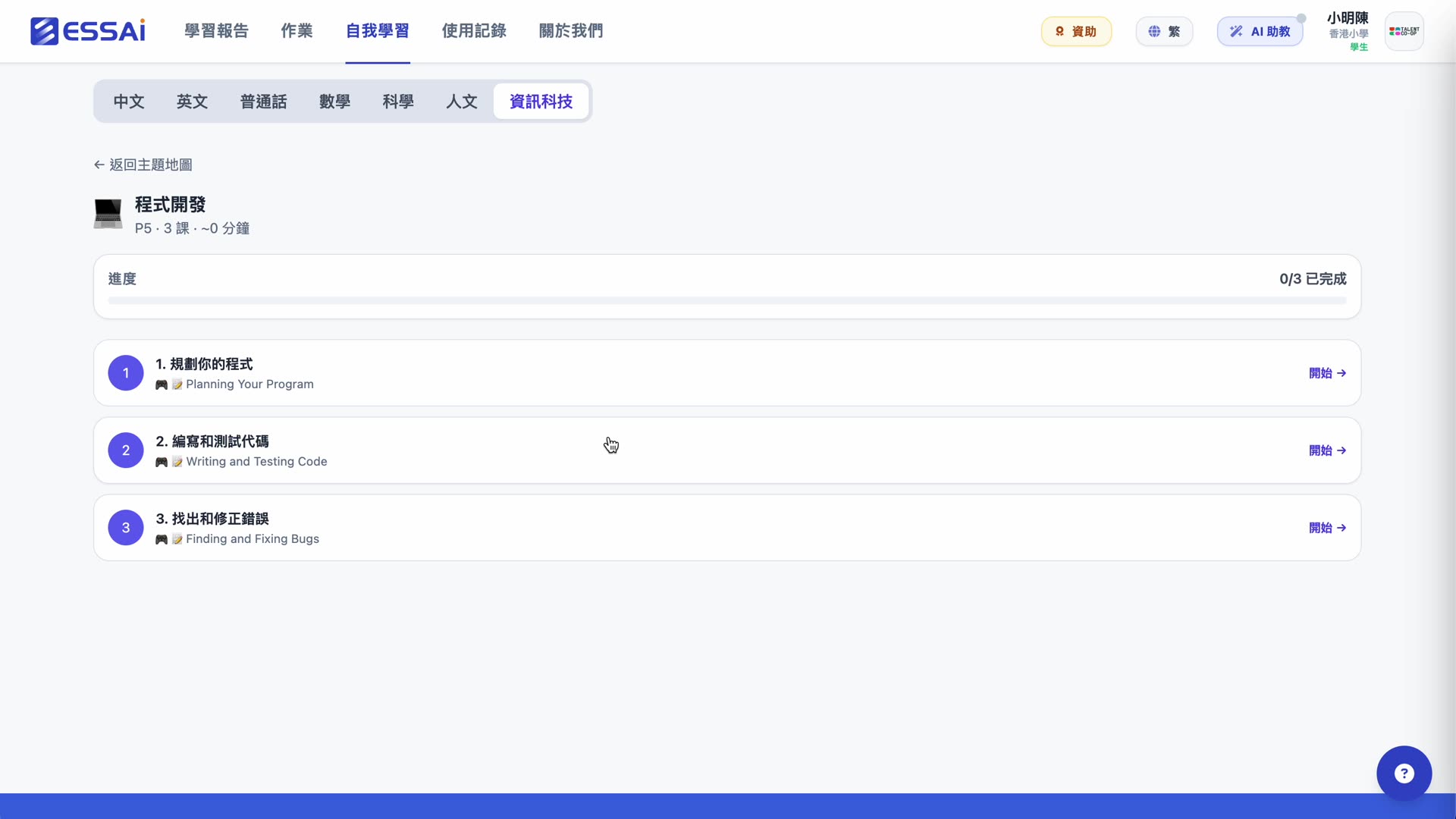
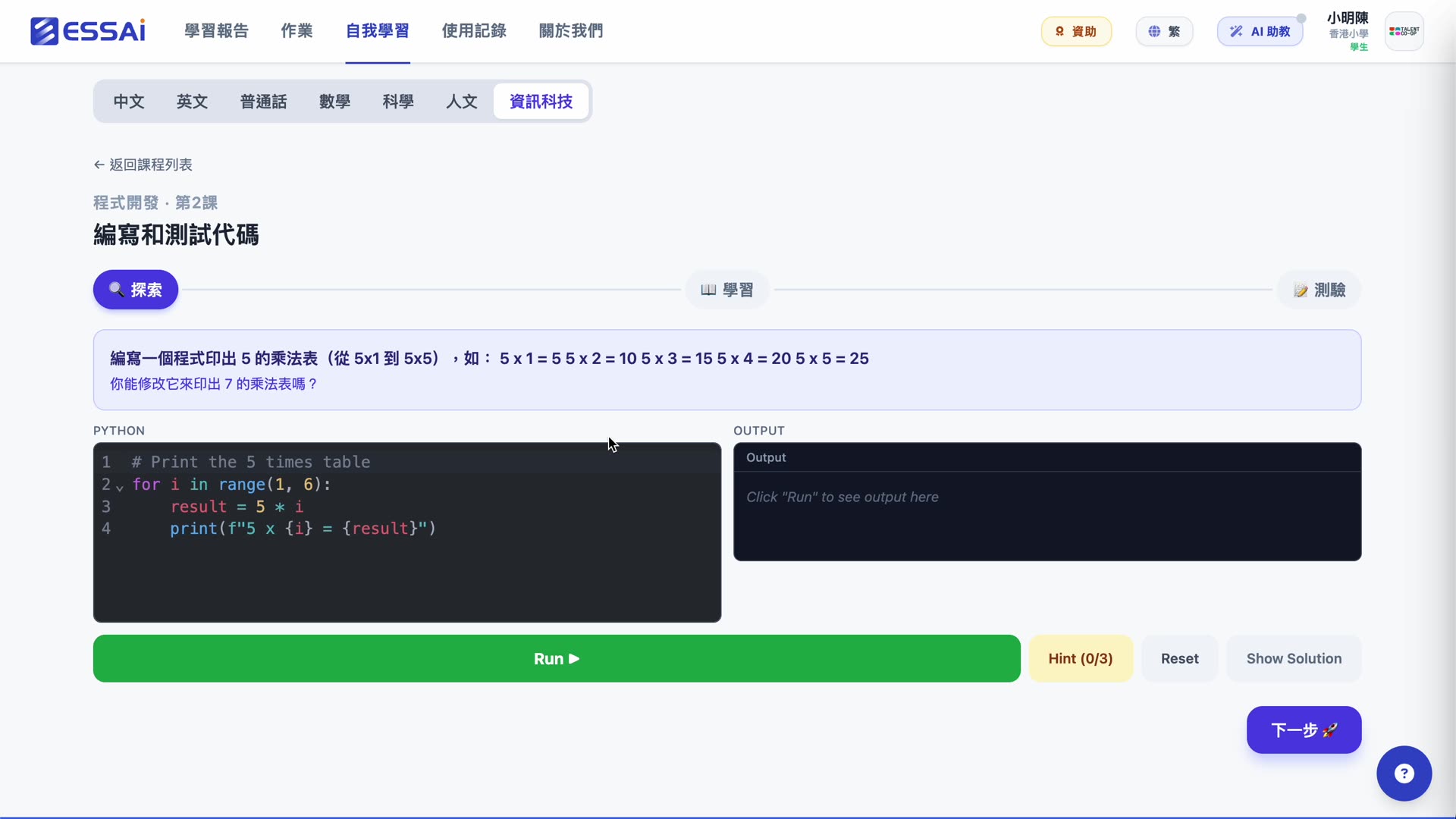
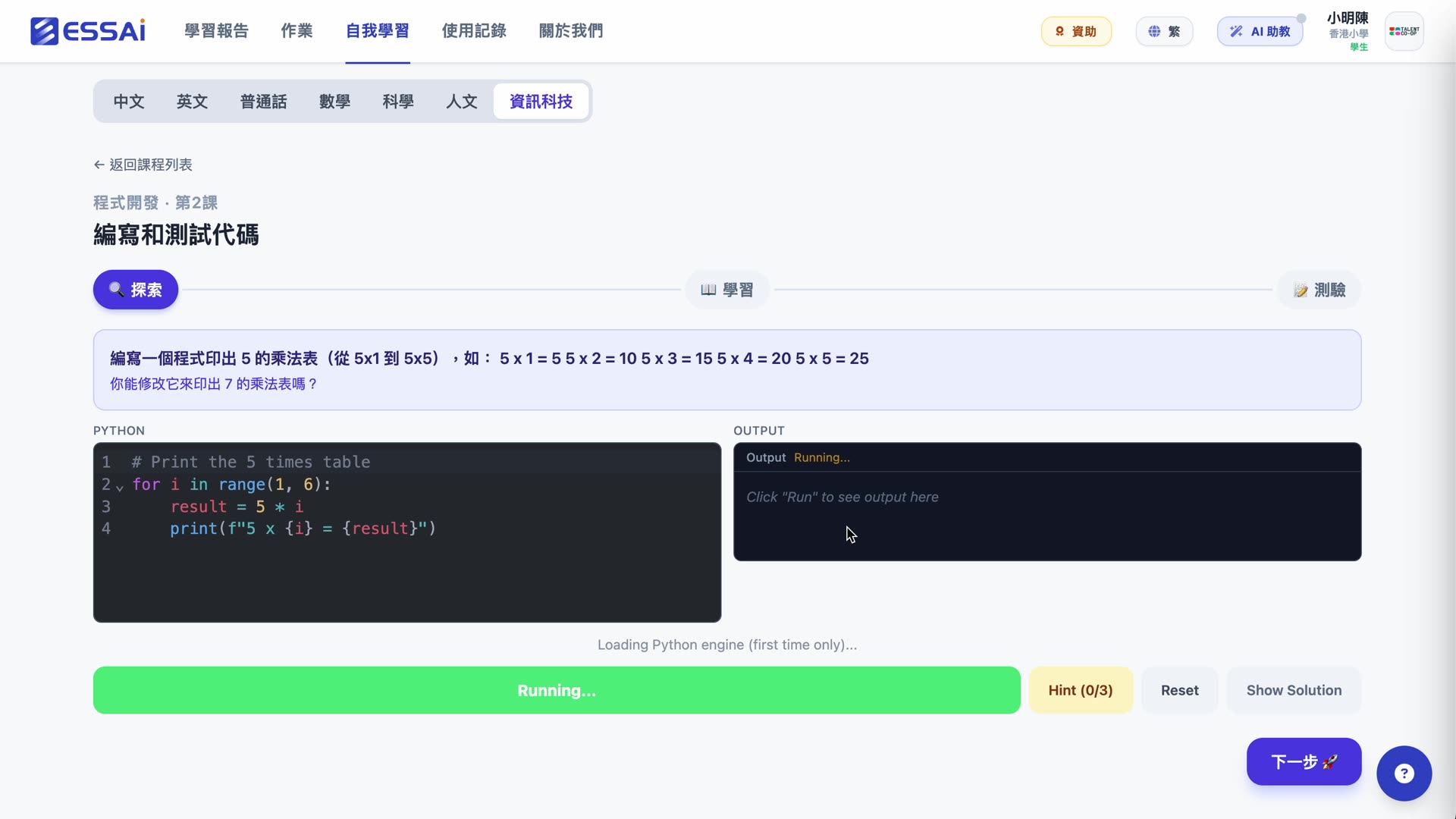
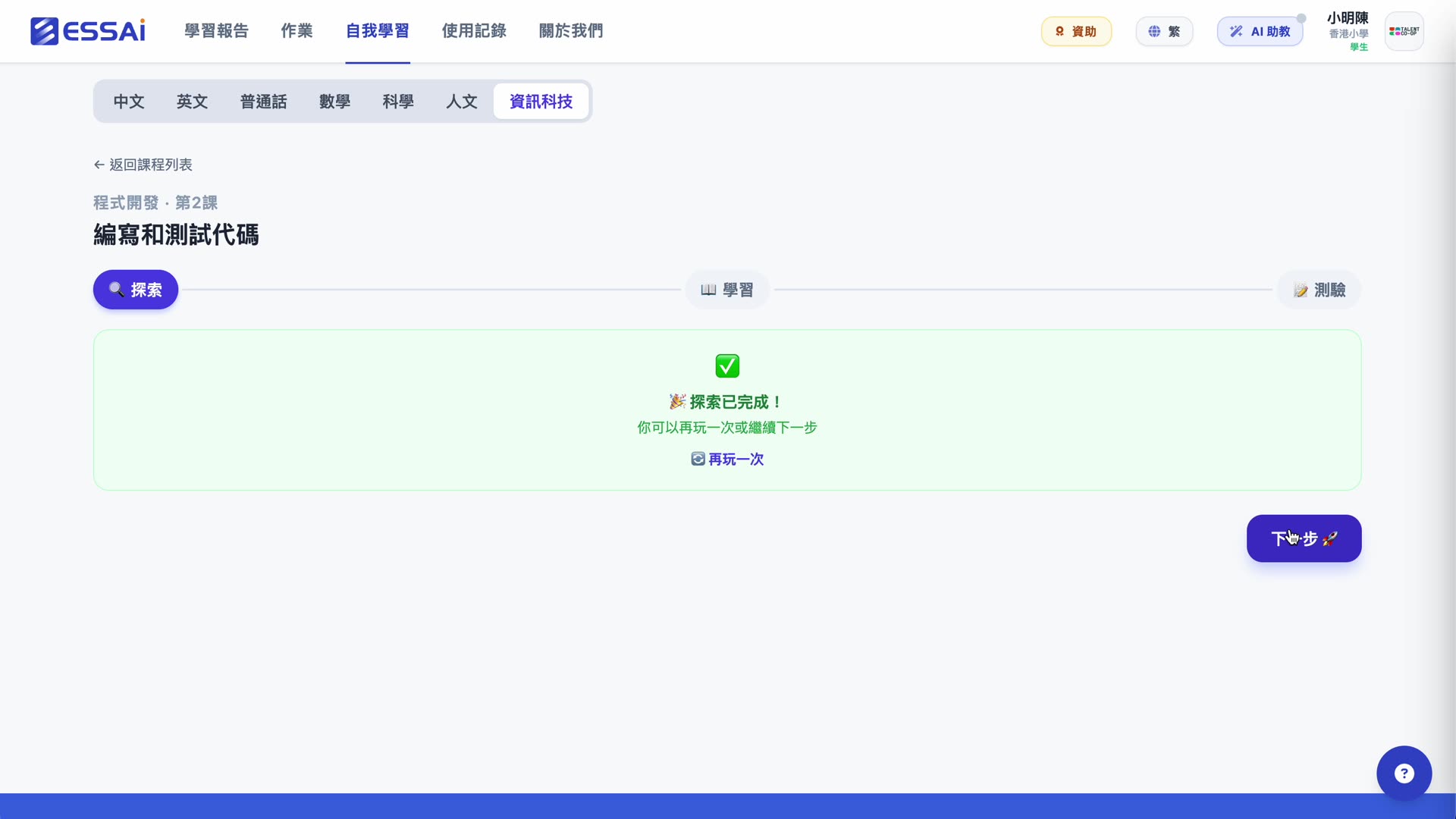
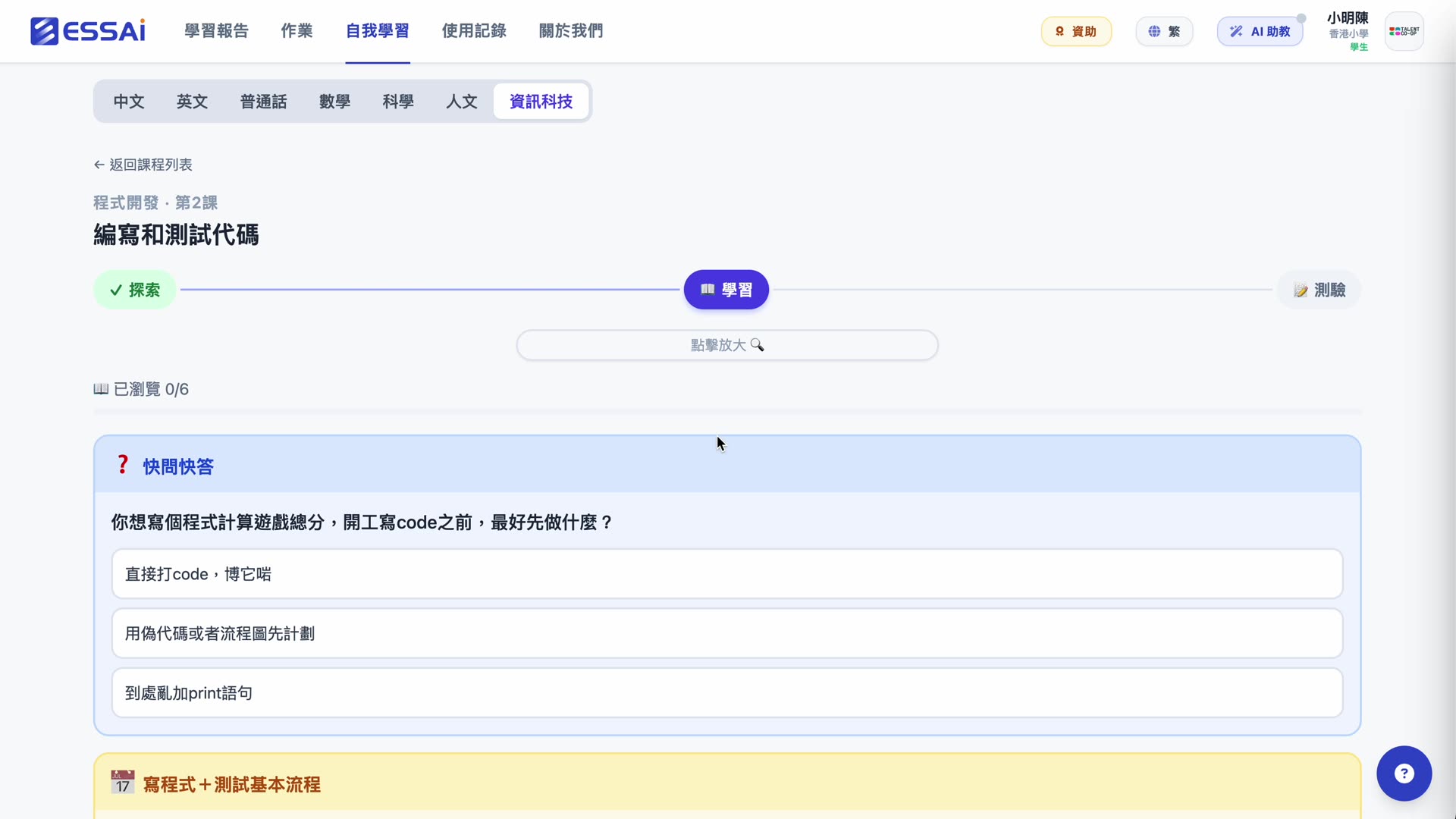
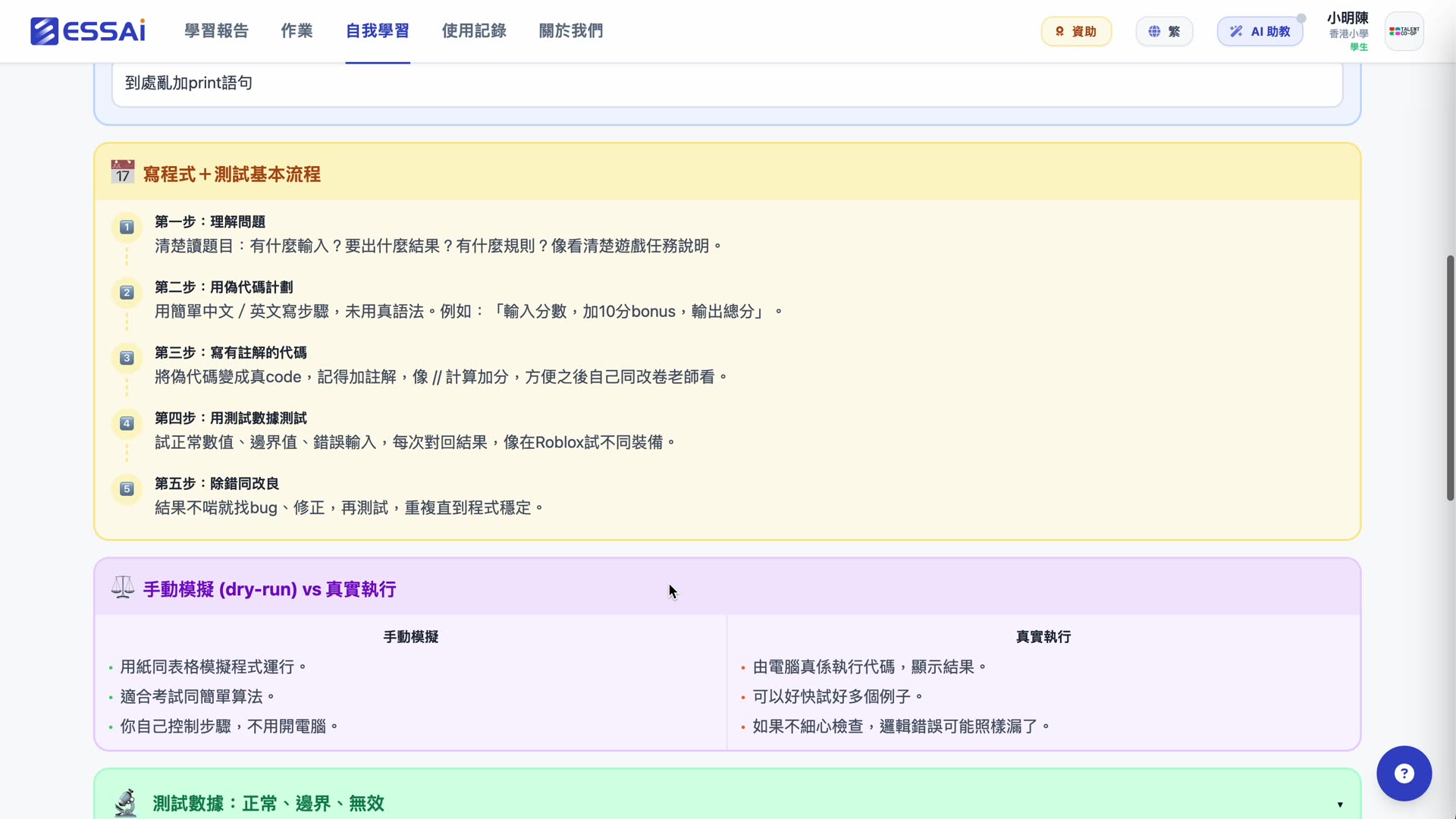
P5 Program Development unit · Explore → Learn → Quiz 3-step structure
ICT teacher pain · Essai solution
EDB publishes CT concepts but no coding materials — schools build from scratch.
All 4 EDB Primary CT units come with matching Scratch-style block activities (Cat Move, Draw Square, Counter, Bouncing Cat, etc.).
You want to teach Python in junior secondary, but installing + account management + firewalls is a nightmare.
Python runs in the browser via Pyodide v0.29.3 — iPad-compatible Turtle, matplotlib, and games. Zero installs. Zero accounts beyond Essai login.
EDB has no primary AI curriculum yet, but waiting isn’t an option — and external AI isn’t safe for kids.
"AI for Primary" is our own 5-lesson track using simulated AI. Safe by default, zero cost, parent-friendly.
Key features
Scratch-style block playground
Built on Blockly · 12 sprite emoji (cat, fox, panda, robot, etc.) · motion / looks / events / control blocks · confetti on success.
In-browser Python · Pyodide
Pyodide v0.29.3 · no installs, no accounts · supports Turtle graphics, matplotlib charts, and Python games (Guess My Number / RPS / Mad Libs).
AI for Primary (Essai-original)
EDB hasn’t published a primary AI curriculum yet. Our 5-lesson track: Is This Fair? / How AI Learns / AI in My Life / Tell the AI About Your Day. Simulated AI, safe by default.
AI for Secondary · Prompt Lab
5 LLM-era lessons: How ChatGPT Really Works / Prompt Engineering / Deepfakes / Bias / Classify Movie Reviews.
Bilingual · iPad-ready
Every lesson in English, Simplified Chinese, and Traditional Chinese. Touch-friendly, most lessons doable without a keyboard.
AI-generated kawaii thumbnails
Every hands-on lesson has an AI-generated kawaii illustration. Primary kids recognise + remember content visually.
How it works
Pick grade + unit
Student picks Primary or Secondary, then unit (4 Primary CT + 9 Junior CL + 6 DSE core + 3 DSE electives).
Work through it · auto-graded
Concept lessons MC-checked; coding exercises judged by whitespace-normalized + regex + keyword matching; AI lessons use keyword analysis.
Free practice
CT-U2 free sandbox · CL-U6 Python games · AI prompt lab for open-ended play. No teacher presence needed.
Grade + unit coverage
AI for Primary (intro)
Primary Computing (computational thinking)
Scratch-style block playground
In-browser Python (Pyodide)
Junior Secondary Computer Studies (S1–S3)
Secondary AI / Prompt Lab
DSE ICT core curriculum
DSE ICT electives (DB / Web / Algorithms)
| P3 | P4 | P5 | P6 | S1 | S2 | S3 | S4 | S5 | S6 | |
|---|---|---|---|---|---|---|---|---|---|---|
| AI for Primary (intro) | ||||||||||
| Primary Computing (computational thinking) | ||||||||||
| Scratch-style block playground | ||||||||||
| In-browser Python (Pyodide) | ||||||||||
| Junior Secondary Computer Studies (S1–S3) | ||||||||||
| Secondary AI / Prompt Lab | ||||||||||
| DSE ICT core curriculum | ||||||||||
| DSE ICT electives (DB / Web / Algorithms) |
23 units · 105+ lessons · 16+ hands-on coding exercises (Python, Scratch, HTML, turtle, matplotlib) · 10+ AI lessons across 3 tracks